
How to ask a client to replace a document in YakFiles
Clients often send the wrong month or the wrong account. Rejecting the upload with a note tells the client exactly what to send instead, and the item reopens on their checklist.
Before you start
- A request with a client upload waiting for review
Transcript
Send back a wrong document, with a note that says exactly what you need instead.
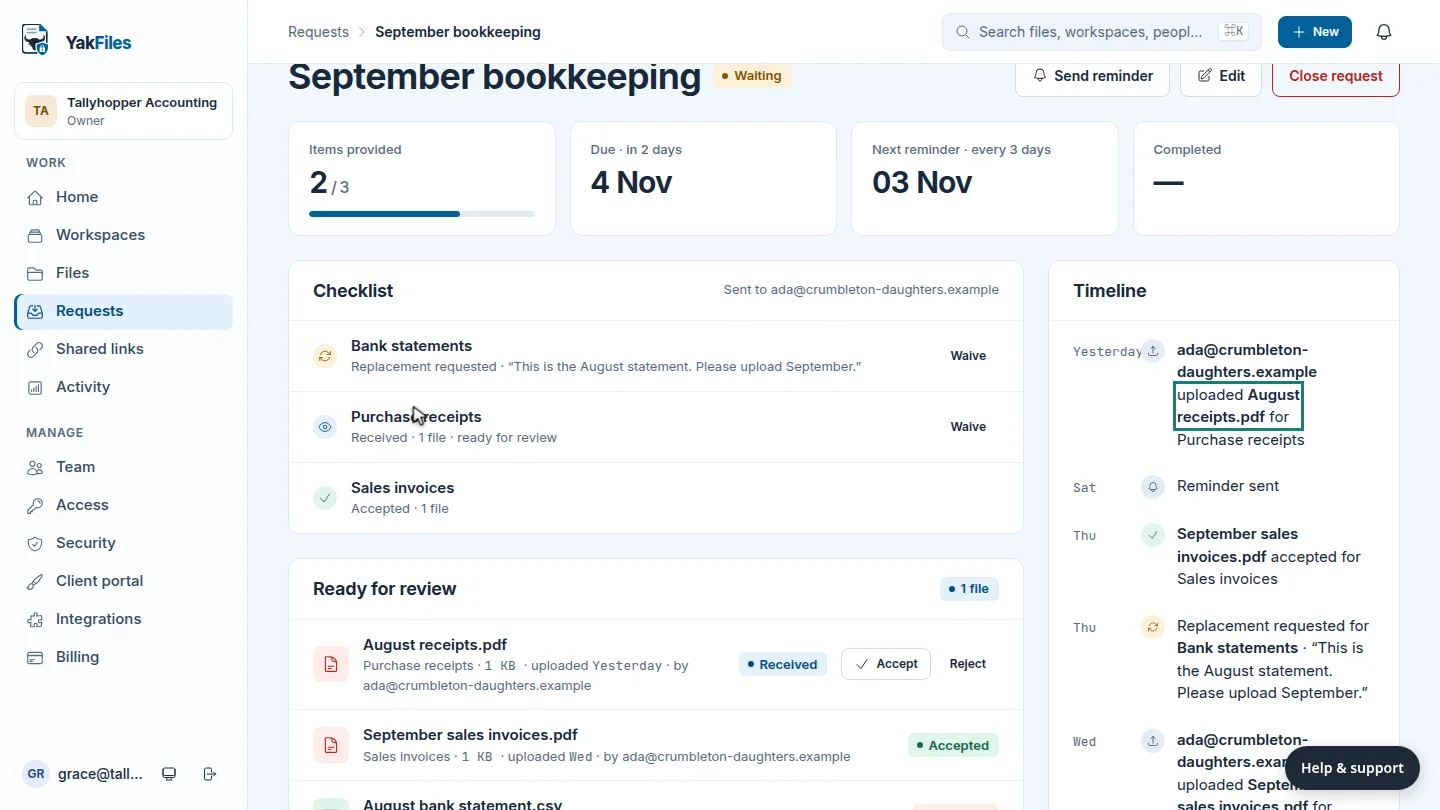
On Requests, open the request, and find the upload under Ready for review.
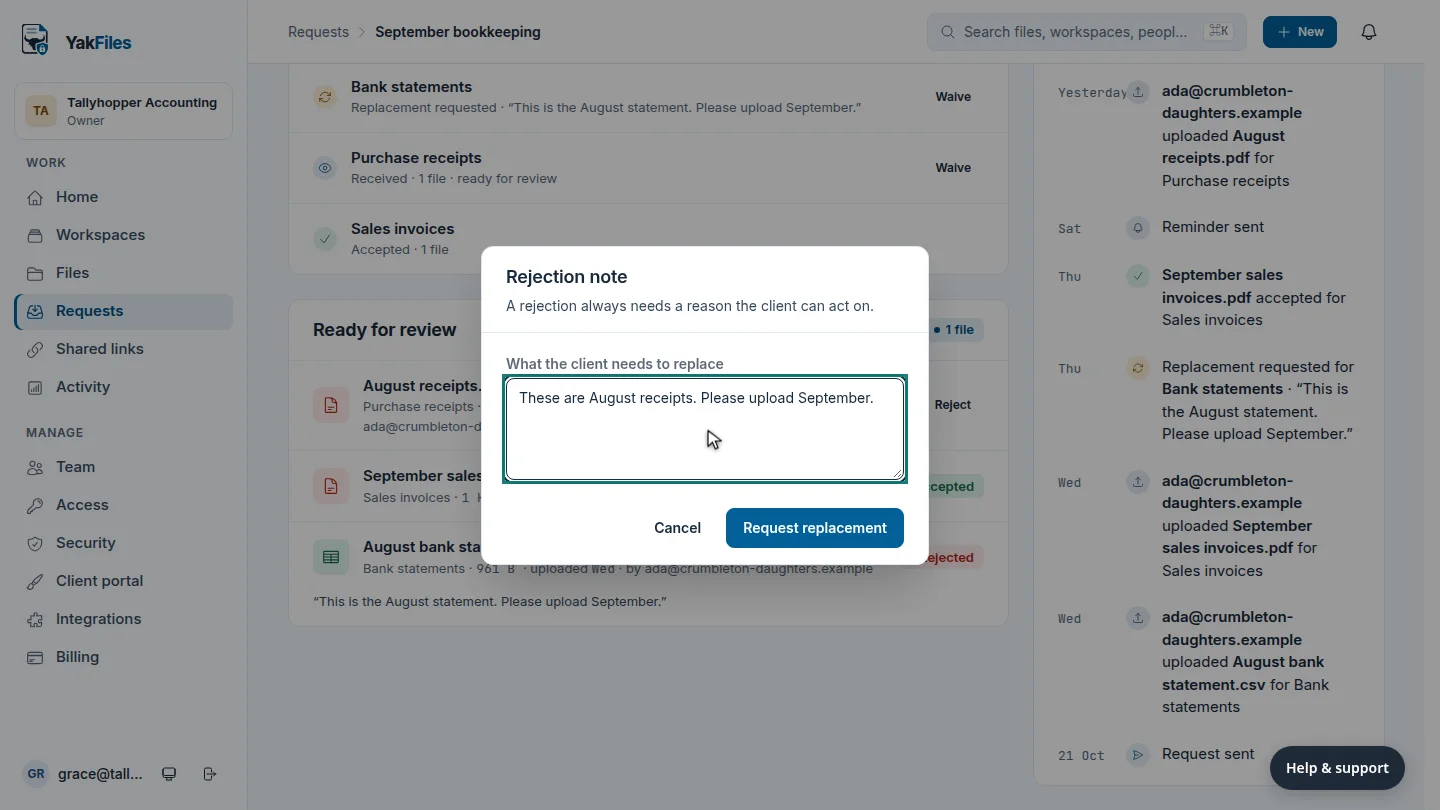
These are August's receipts, not September's. Select Reject, and explain what the client needs to send.
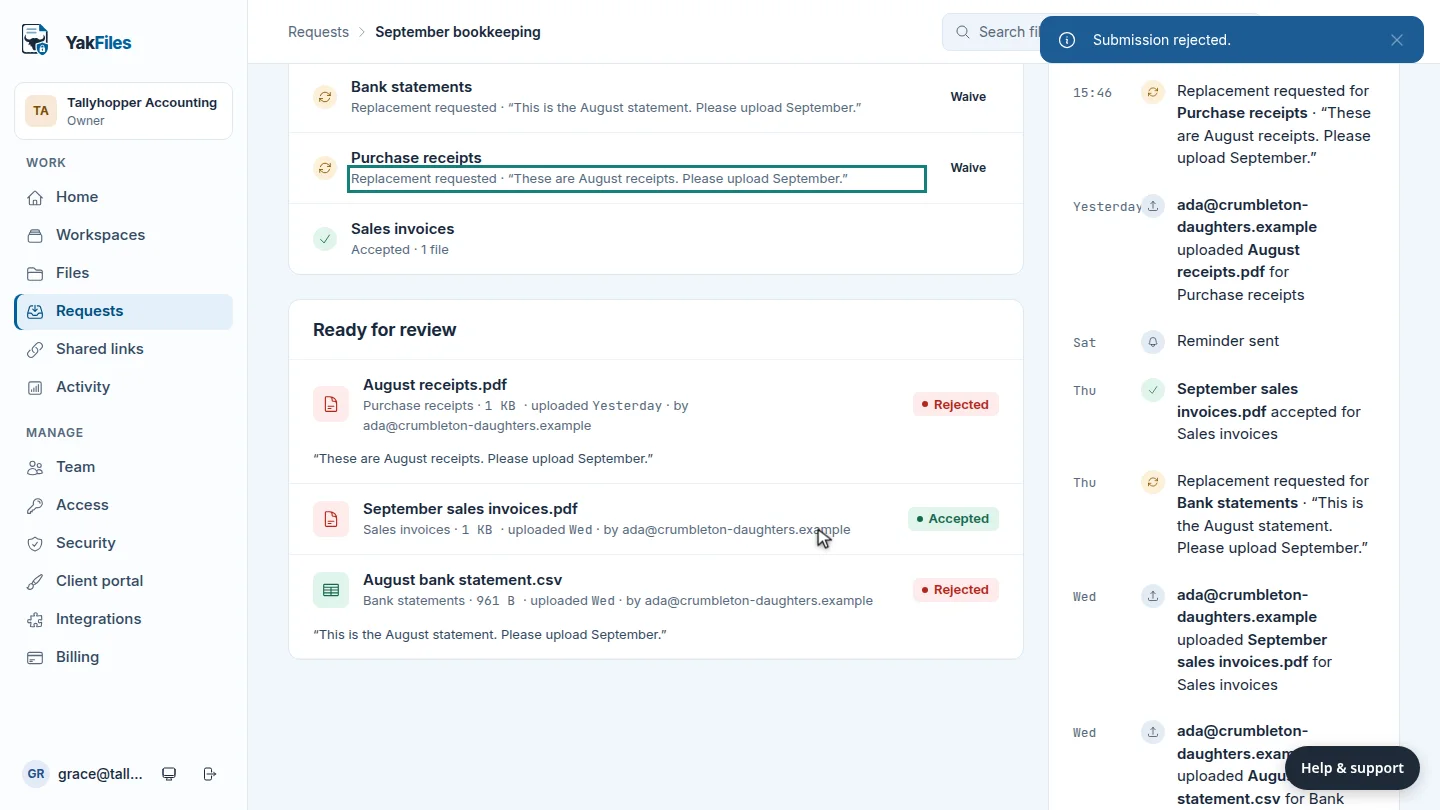
Select Request replacement. The checklist item now reads Replacement requested, with your note, and the client sees the same note next to the item.
Steps
Open the request ▶ 0:06
In Requests, open the request and find the file under Ready for review.
Reject with a note ▶ 0:12
Select Reject on the file's row. In What the client needs to replace, explain what to send instead.
Request the replacement ▶ 0:19
Select Request replacement. The checklist item shows Replacement requested and your note.
Next steps
Updated 2026-10-26
reject upload wrong document request replacement send back