
How to change request reminders in YakFiles
Some clients need a nudge every few days; others find that too much. Each request has its own reminder schedule, and YakFiles stops reminding as soon as the checklist is complete.
Before you start
- An open request sent to a client's email
Transcript
Change how often YakFiles reminds a client about outstanding documents.
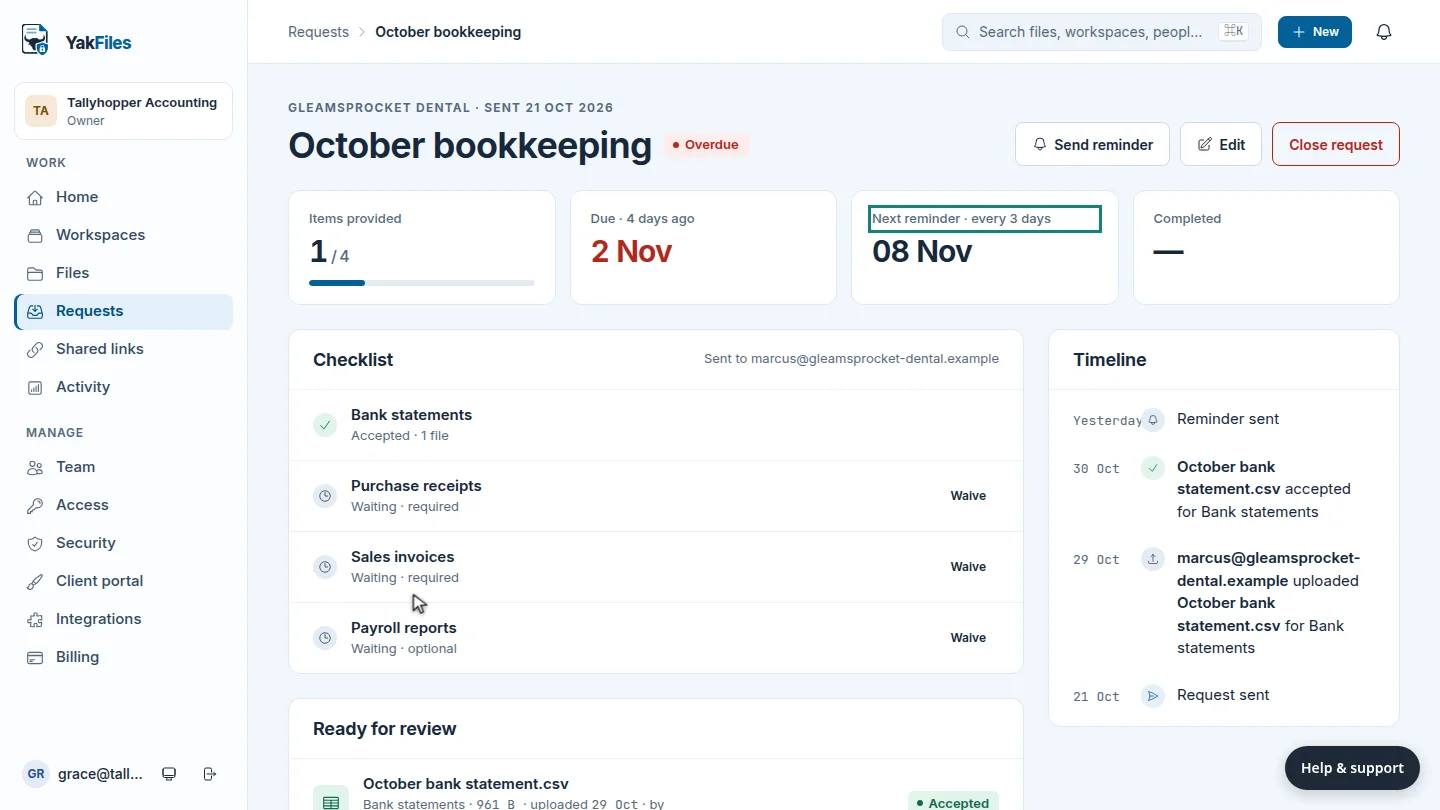
Open the request. The summary shows when the next reminder goes out, and how often.
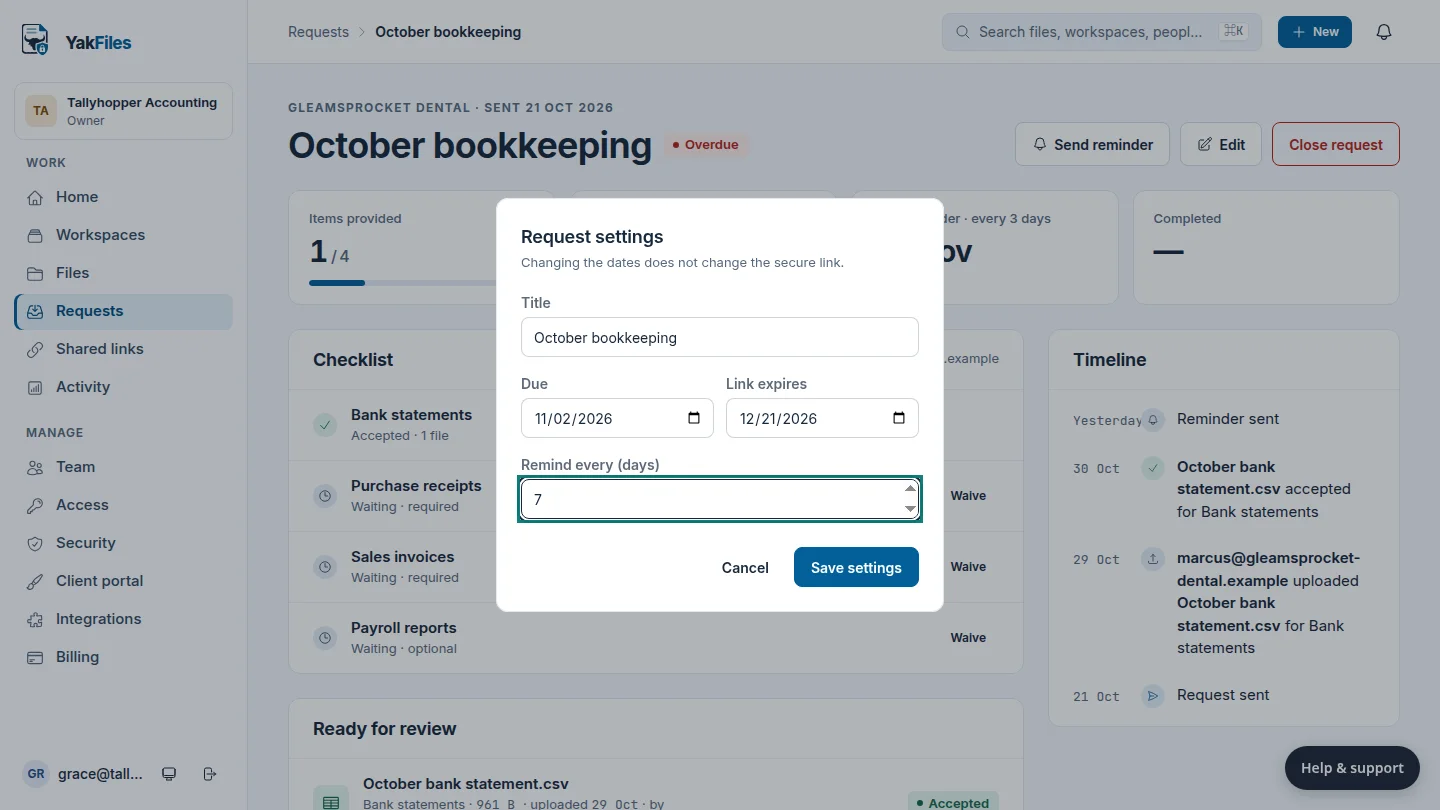
Select Edit, and change Remind every to the number of days you want. Seven days suits a client who's already been chased.
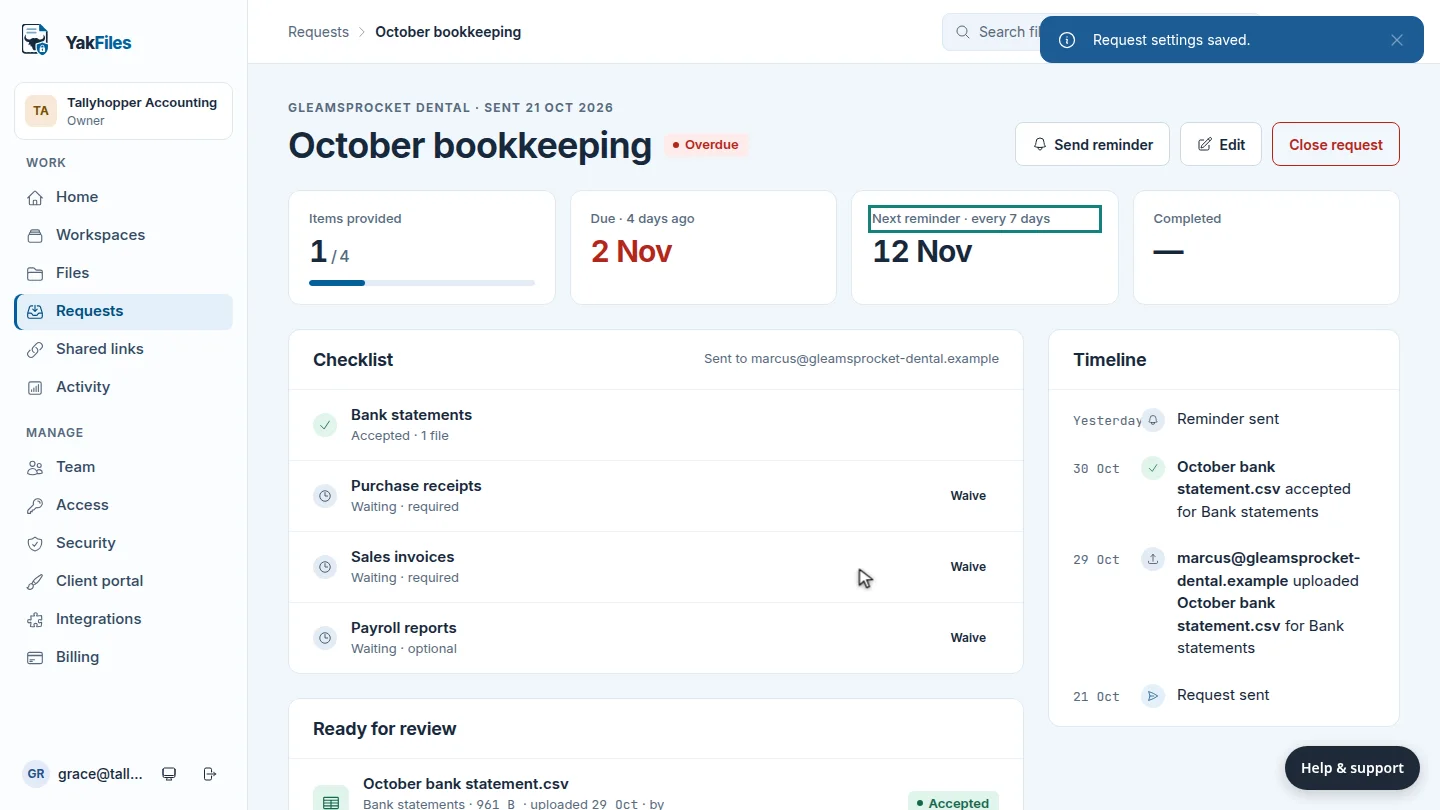
Select Save settings. The summary now shows the new schedule. To nudge the client right away, select Send reminder.
Steps
Open the request ▶ 0:06
In Requests, open the request. The summary shows the next reminder and its schedule.
Change the schedule ▶ 0:12
Select Edit. Change Remind every (days).
Save ▶ 0:20
Select Save settings. Optional: select Send reminder to remind the client now.
Next steps
Updated 2026-10-26
reminder schedule chase client follow up automatic reminders