YakFiles
Sign in Start 14‑day trial
Built for firms leaving ShareFile

Secure client files without the enterprise nonsense.

Client portals, document requests, secure send and a full audit trail. The parts of ShareFile your firm depends on, with predictable billing, honest cancellation and files you can always take with you.

  • Checklists clients finish Each file lands on its line. Reminders stop when they're done.
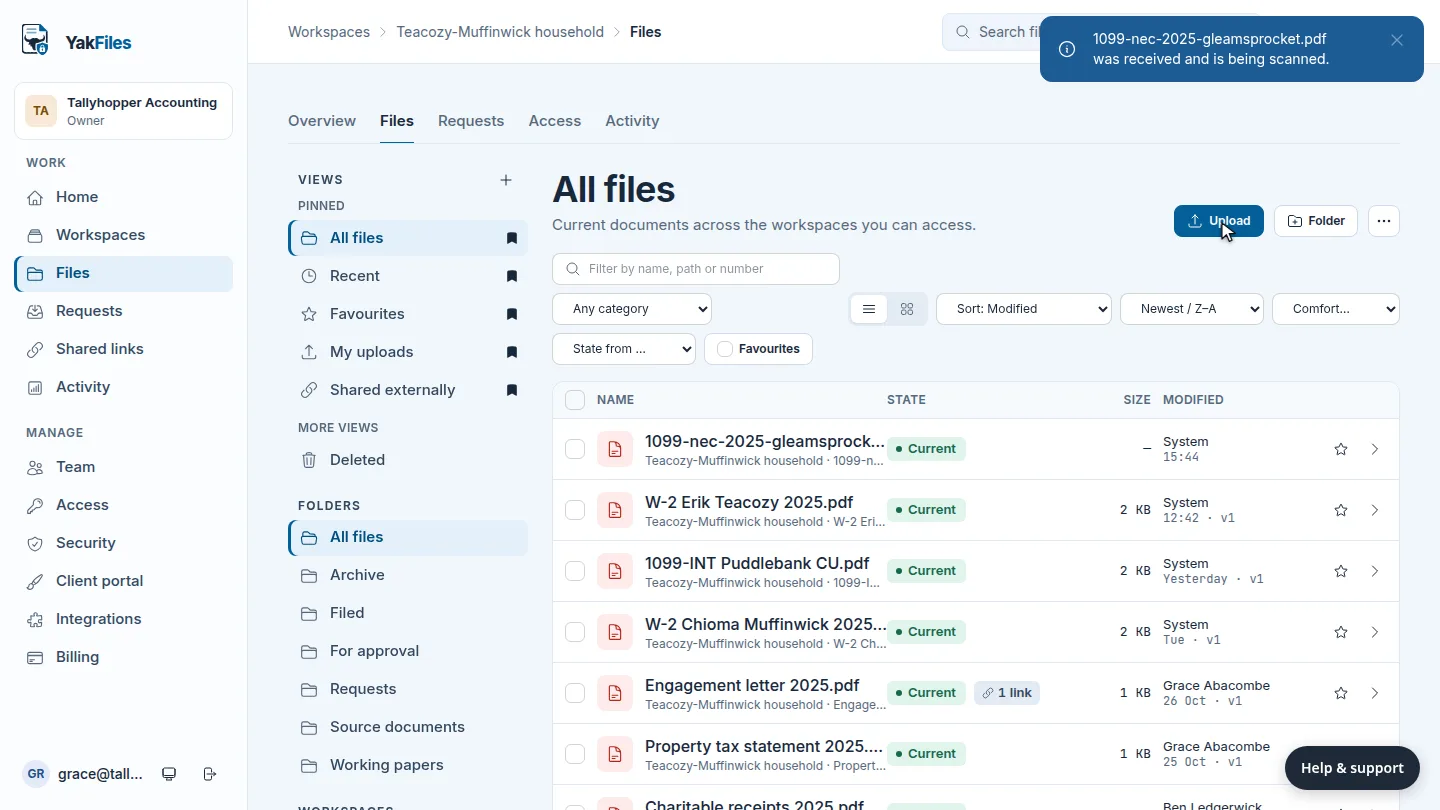
  • Nothing unchecked reaches staff Every client upload is quarantined and scanned first.
  • Your files stay yours Export everything, any time, free. Even after you cancel.
  • 14‑day trial, card required
  • Guests and clients are free
  • From £19 a month, cancel any time

Already a customer? Sign in

Plays muted with captions · Read the transcript
  1. 0:00 Ask a client for documents with one checklist. Pick a saved template, add their email, and send.
  2. 0:10 Your client opens the link. No account, no folders. Each file goes on its own line, and is scanned first.
  3. 0:20 Each upload waits for your review. Accept it, and the checklist moves on. Reminders stop when it's complete.
  4. 0:34 Sending something back? Share it with a named person, on a link that expires.
  5. 0:44 Your firm's name and colour on everything clients see. YakFiles. Secure client files, without the enterprise nonsense.
Why firms switch

Everything you kept ShareFile for. Nothing you tolerated it for.

We listed what small firms use every day and what they only put up with. The first list stayed. The second went. Every screen below is the real product, and each one links to a short how-to video so you can see it working before you sign up.

Collect

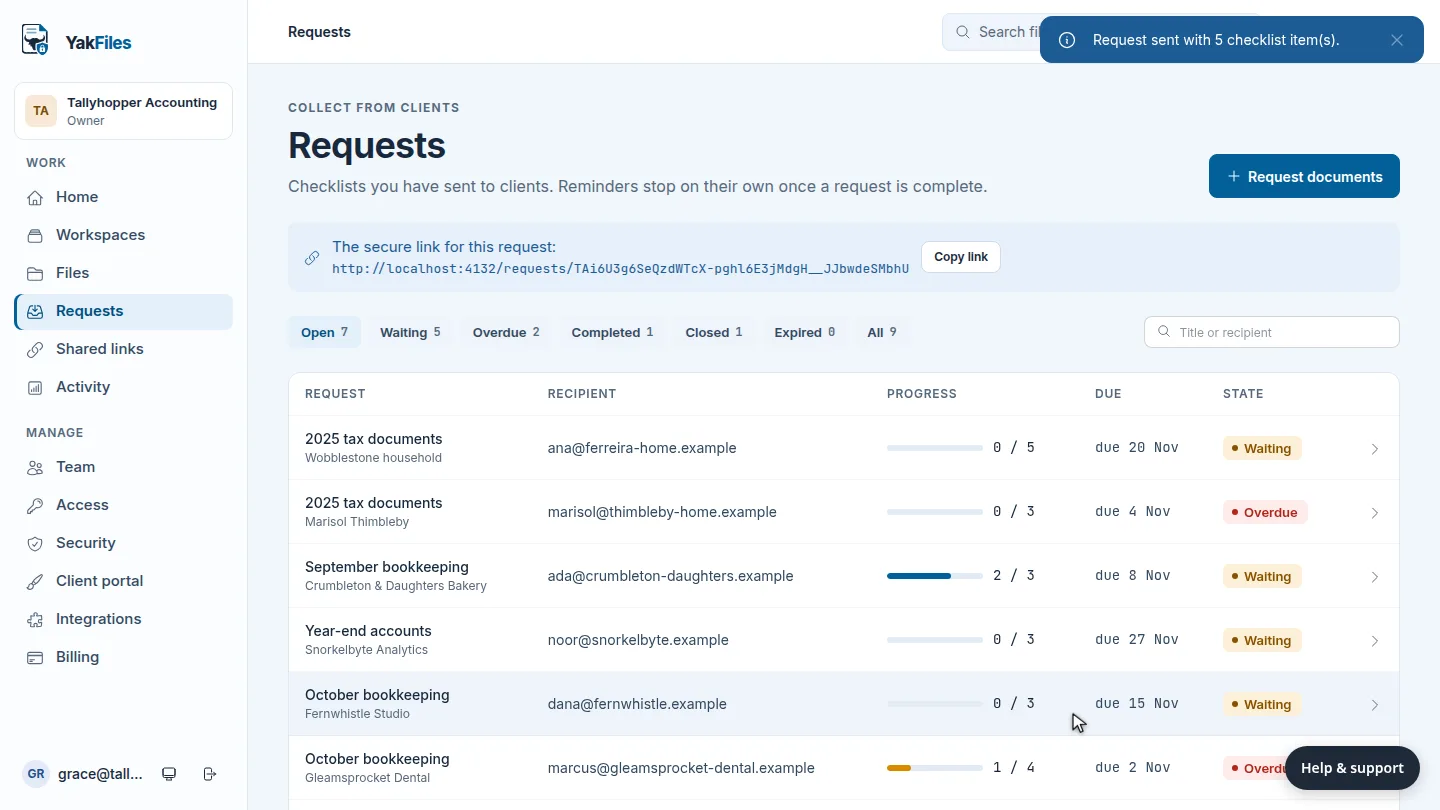
Document requests that clients finish

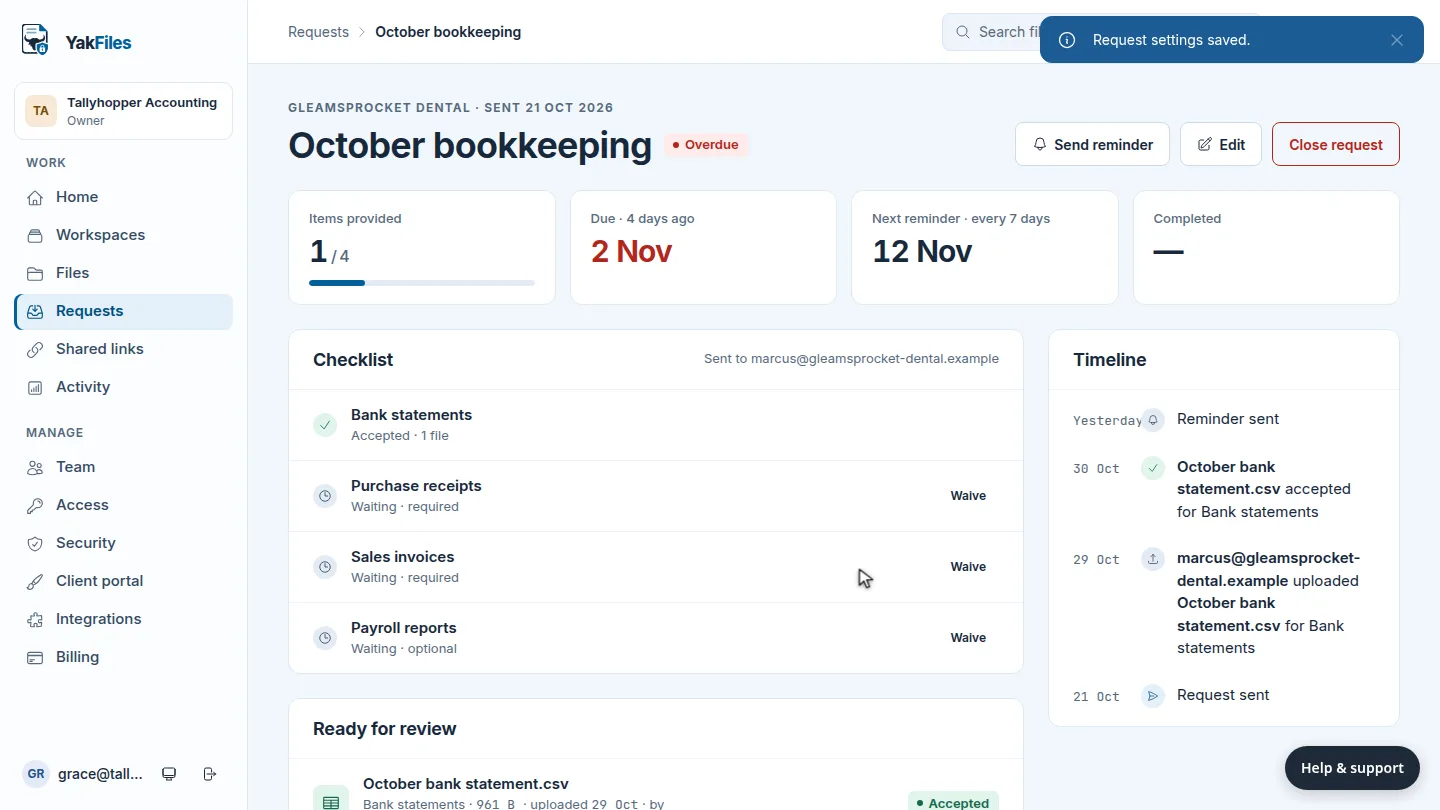
Send a checklist, not a folder. Start from a saved template such as an individual tax return, set a due date, and YakFiles reminds the client until every line is filled.

  • Each upload lands on its line in the right workspace
  • Reminders on your schedule, stopped the moment they're done
  • Mark an item as not needed without starting over
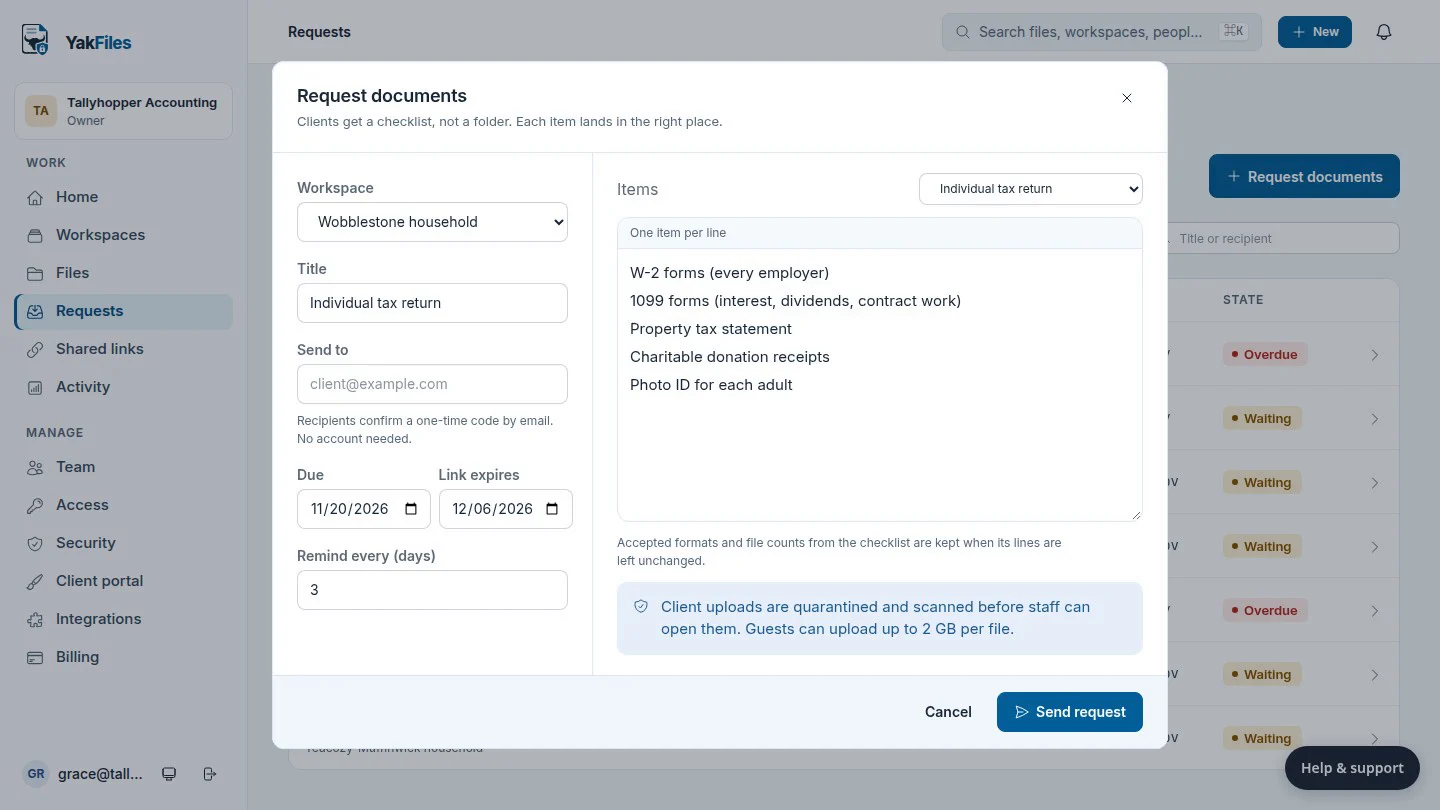
The Request documents form with a client workspace, title and the Individual tax return checklist
Client side

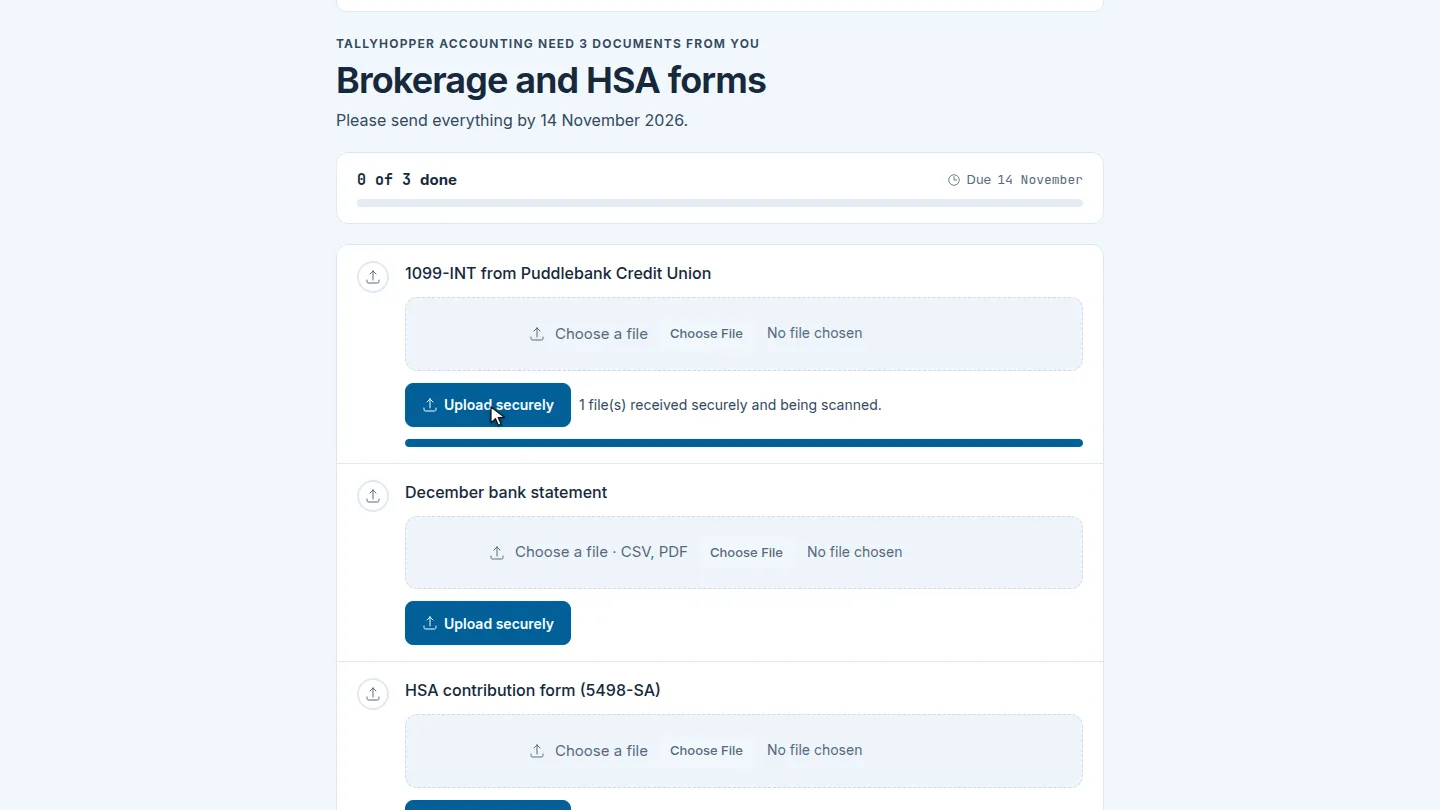
A portal that answers one question

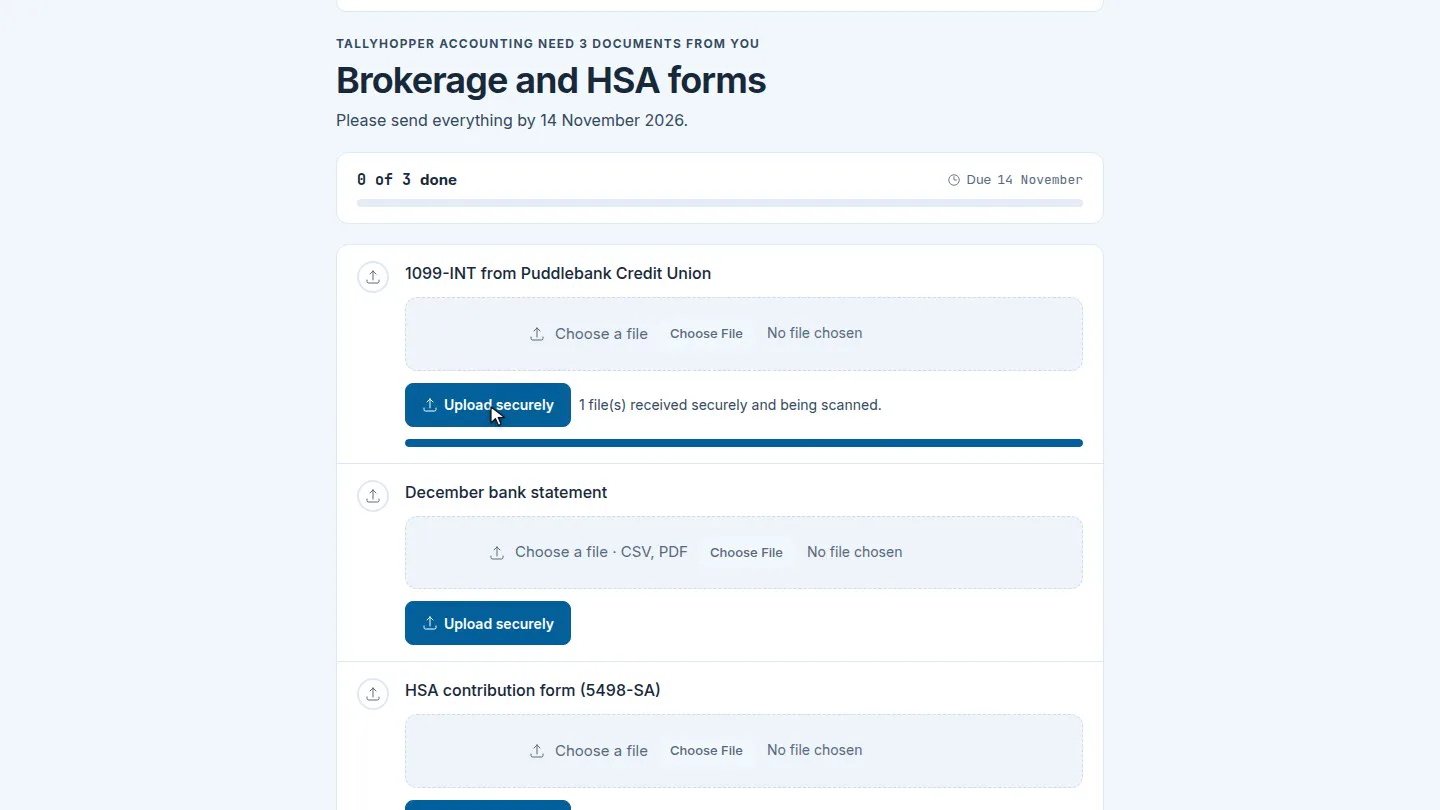
“What does my accountant need from me?” Your client opens the link and sees the checklist, what's done and when it's due. No folder tree, no training and no account to create: a one‑time code by email is enough.

  • Works on a phone, uploads up to 2 GB per file
  • Progress and due date at the top of the page
  • Your firm's name and message, not ours
The client's checklist page: Tallyhopper Accounting need 3 documents, with an upload button on each line
Review

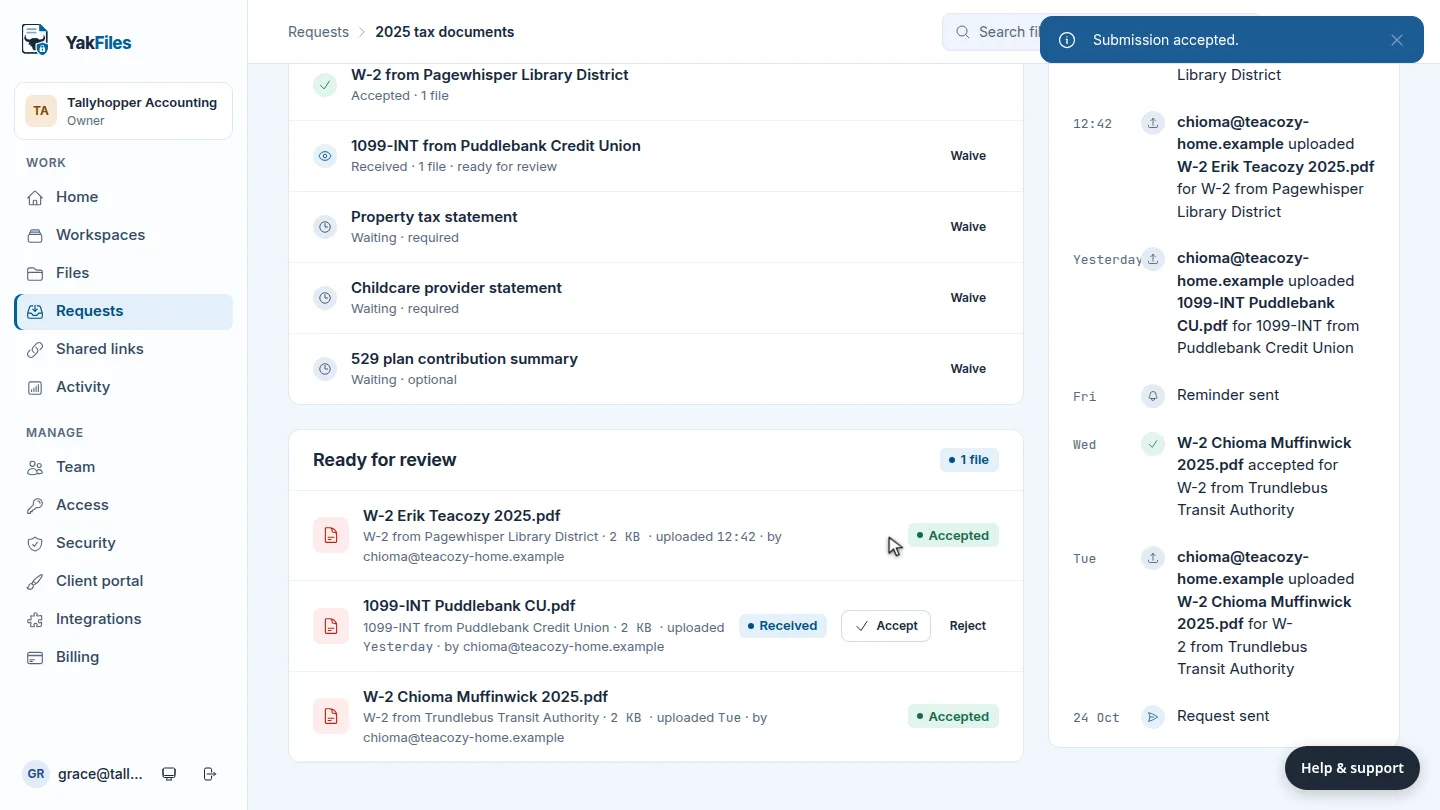
Every upload checked, then reviewed

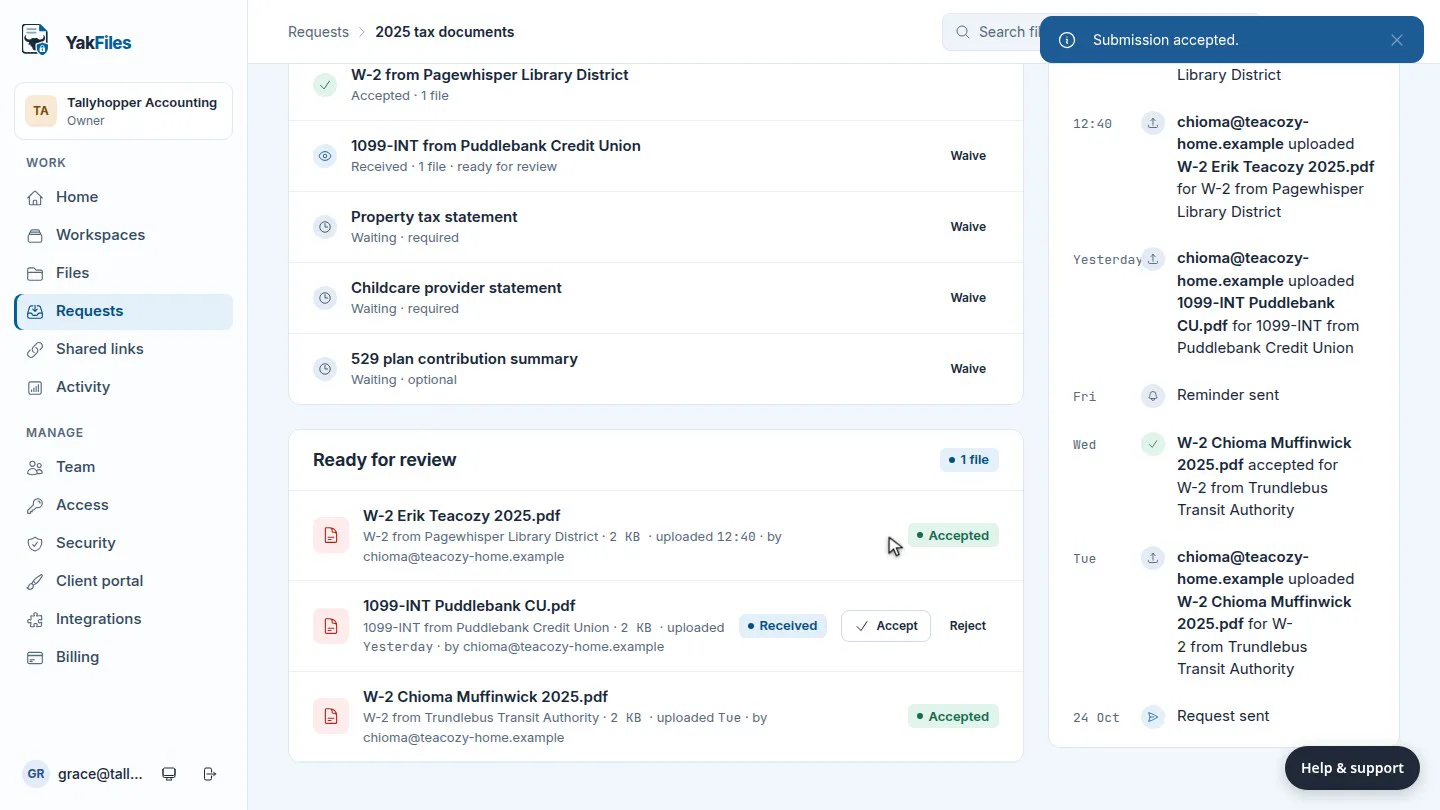
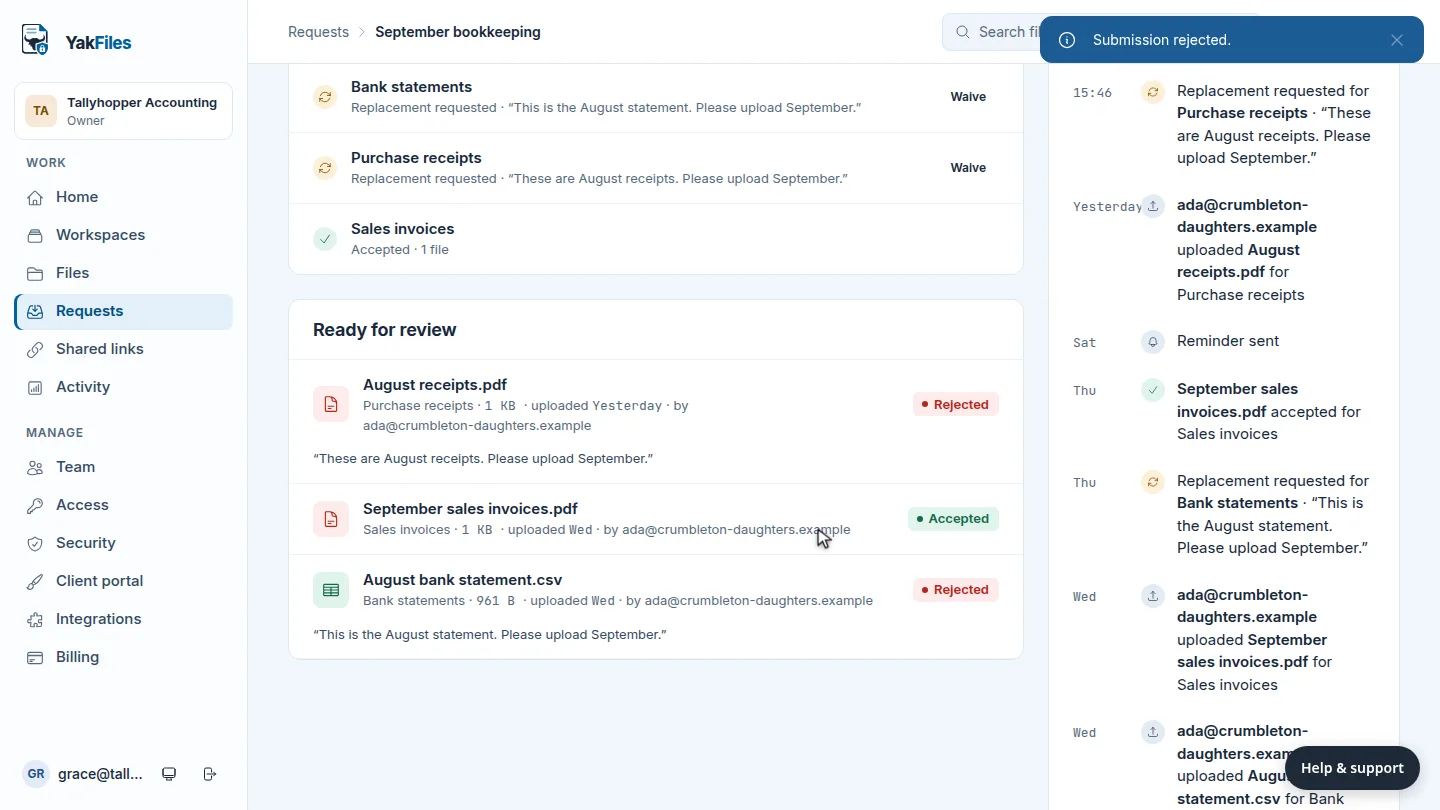
Client files land in quarantine and are scanned before anyone on your team can open them. Then they wait for you: accept what's right, or send one back with a note and the client sees exactly what to replace.

  • A timeline of every upload, reminder and decision
  • New uploads add a version; they never overwrite one
  • Staff never open an unchecked file
A request page with three of six items provided, the checklist, and a timeline of client uploads
Deliver

Secure send with a record

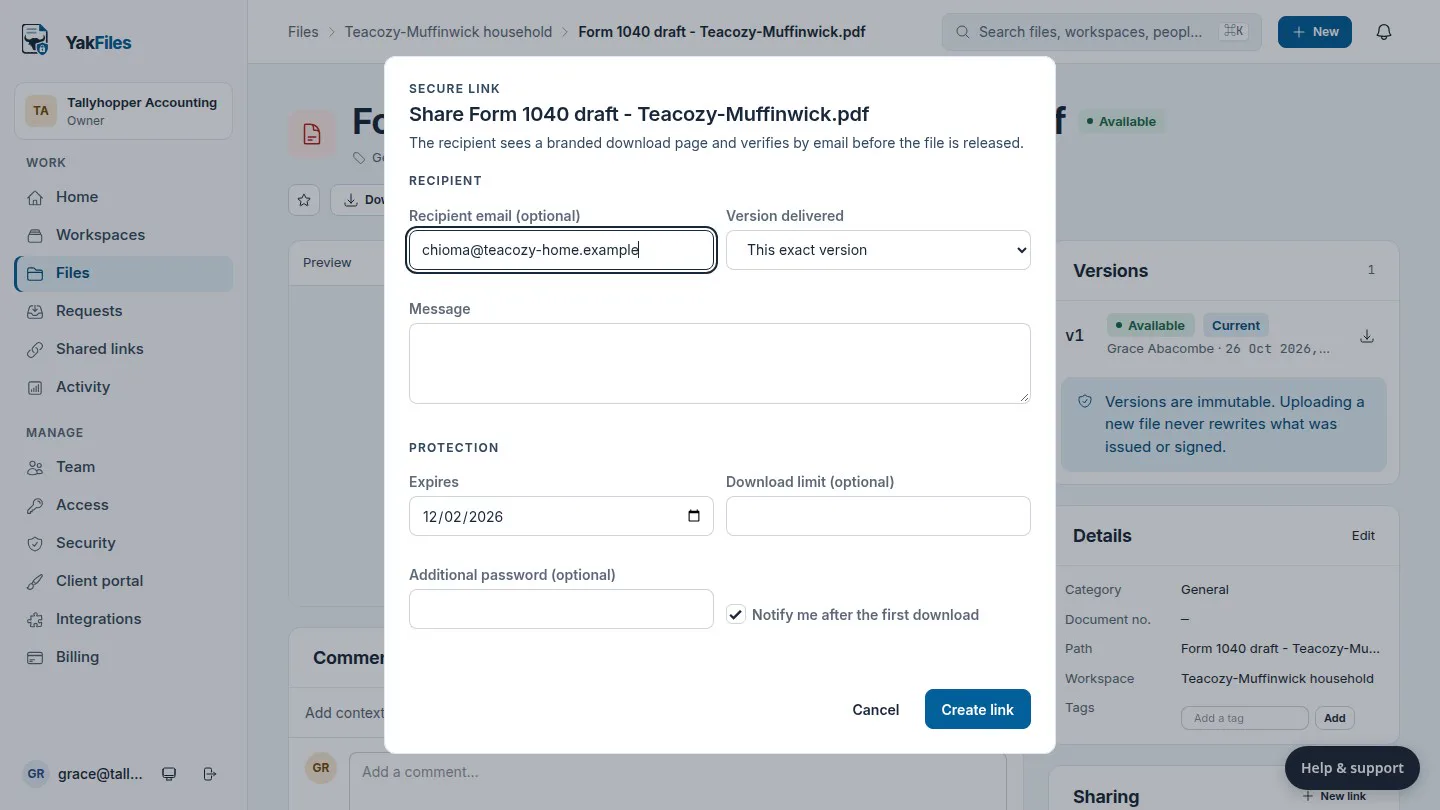
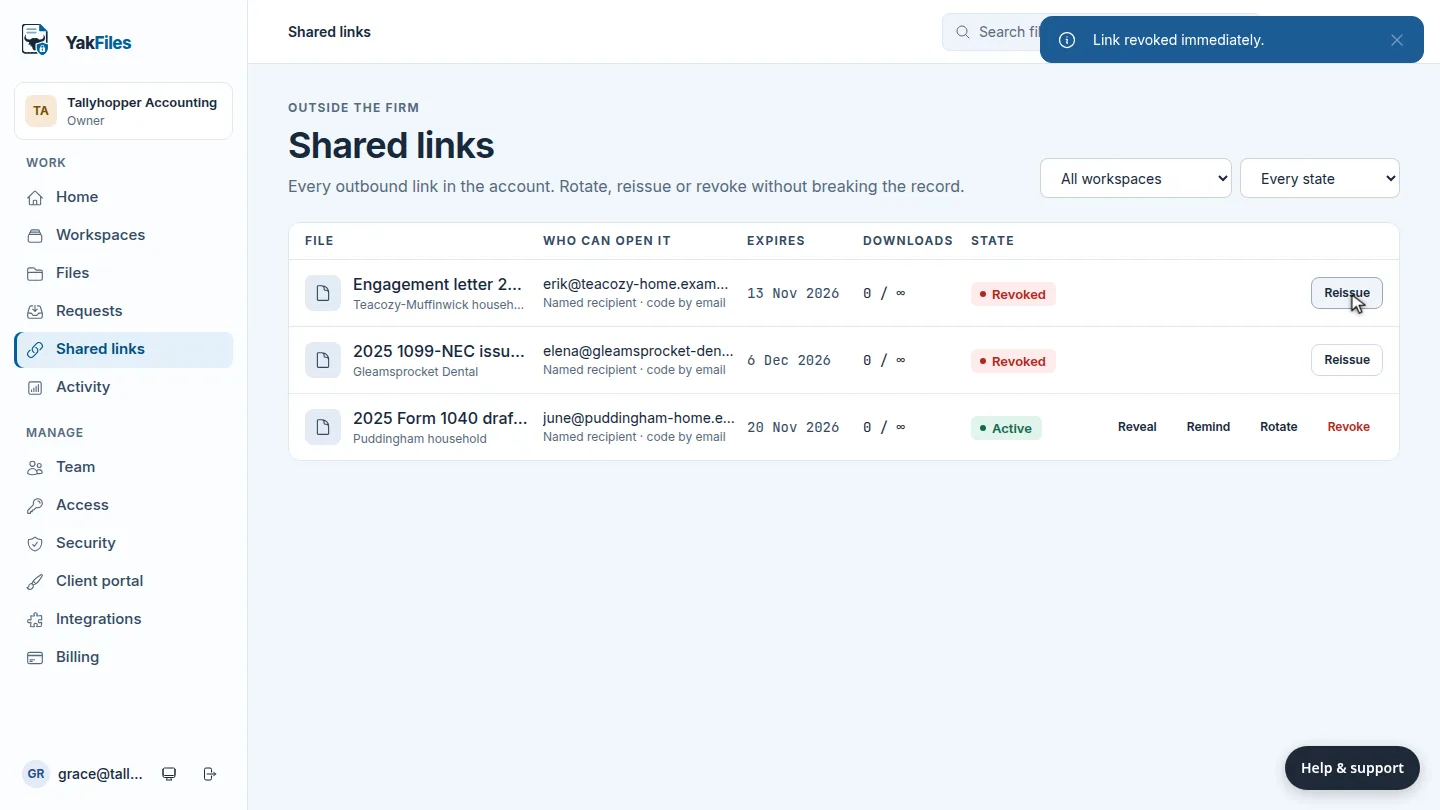
Send a draft return or a signed engagement letter to a named recipient. They verify by email before the file is released, and you choose the expiry, a download limit and an optional password.

  • Pin the exact version you meant to send
  • An access log you can show a client
  • Revoke a link without breaking its history
The secure link form: recipient email, the version delivered, a message and an expiry date
Your brand

Your firm's name on every page a client sees

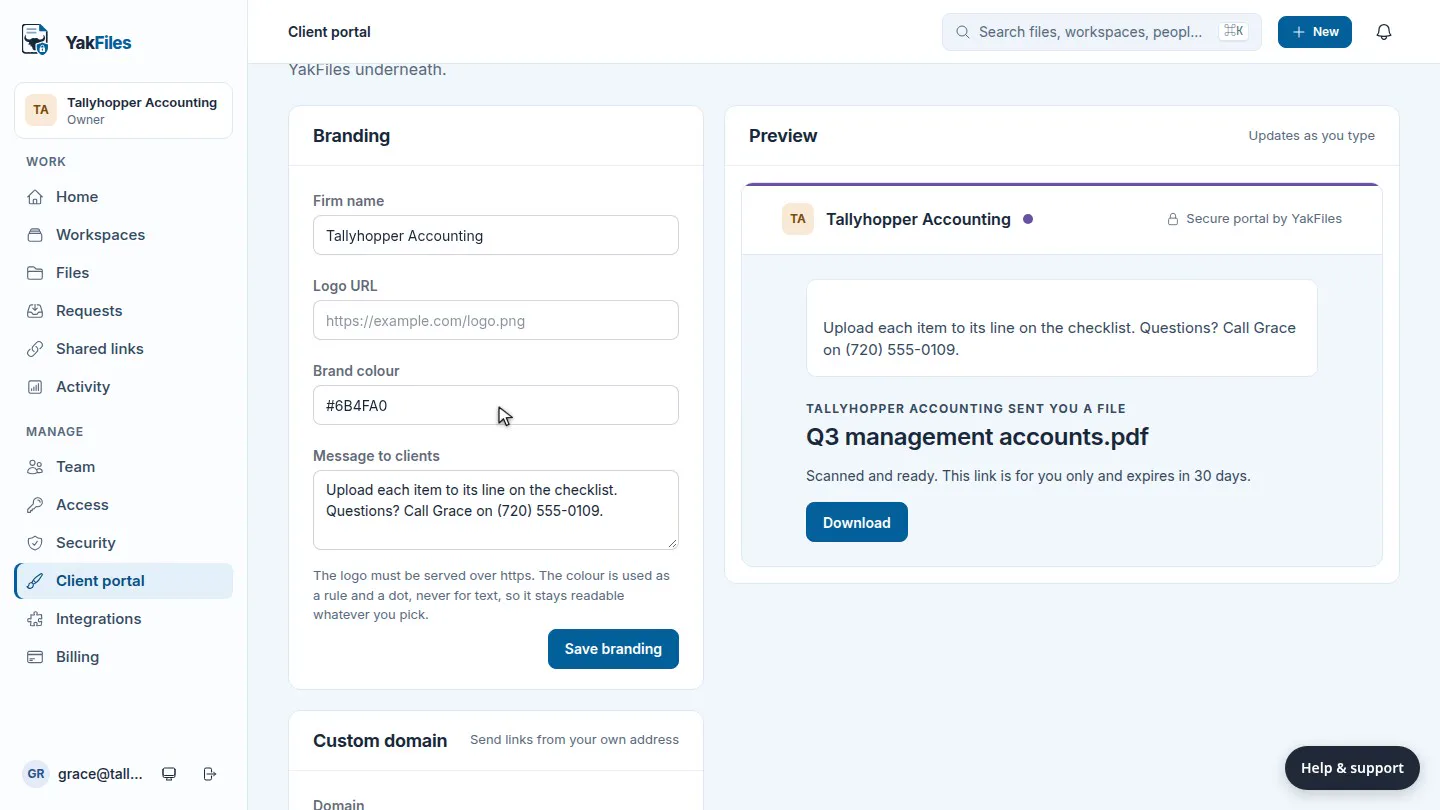
Set your firm's name, logo, colour and a short message once. Requests and download pages carry them, and you see a live preview before you save.

Client portal settings with the firm name, brand colour and message beside a preview of the branded page

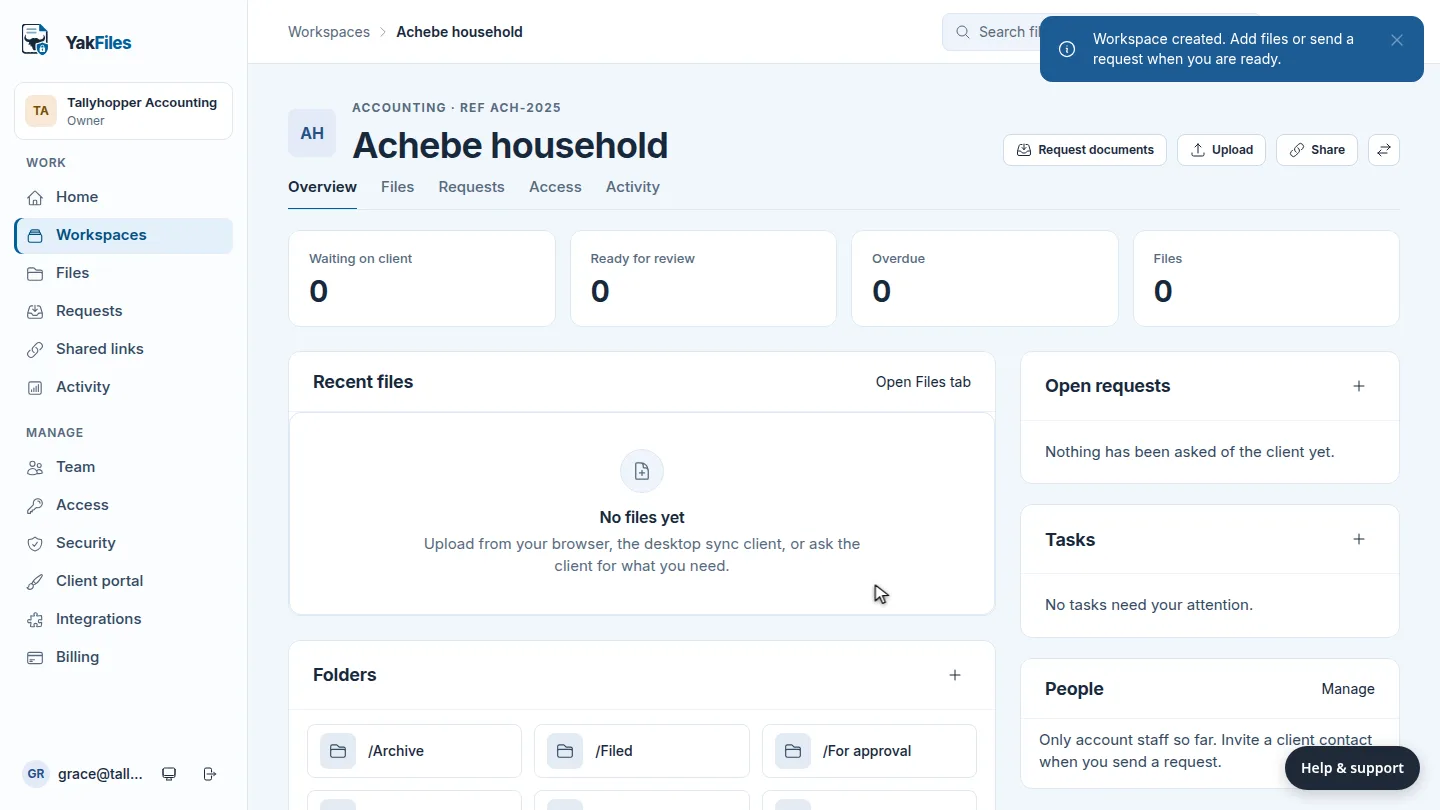
A workspace per client

Start from a template, add a reference, and keep every file and request for that client together.

Create a workspace

Migration in, and out

Import from ShareFile with dry runs and checksum reconciliation. Export everything, any time, at no charge.

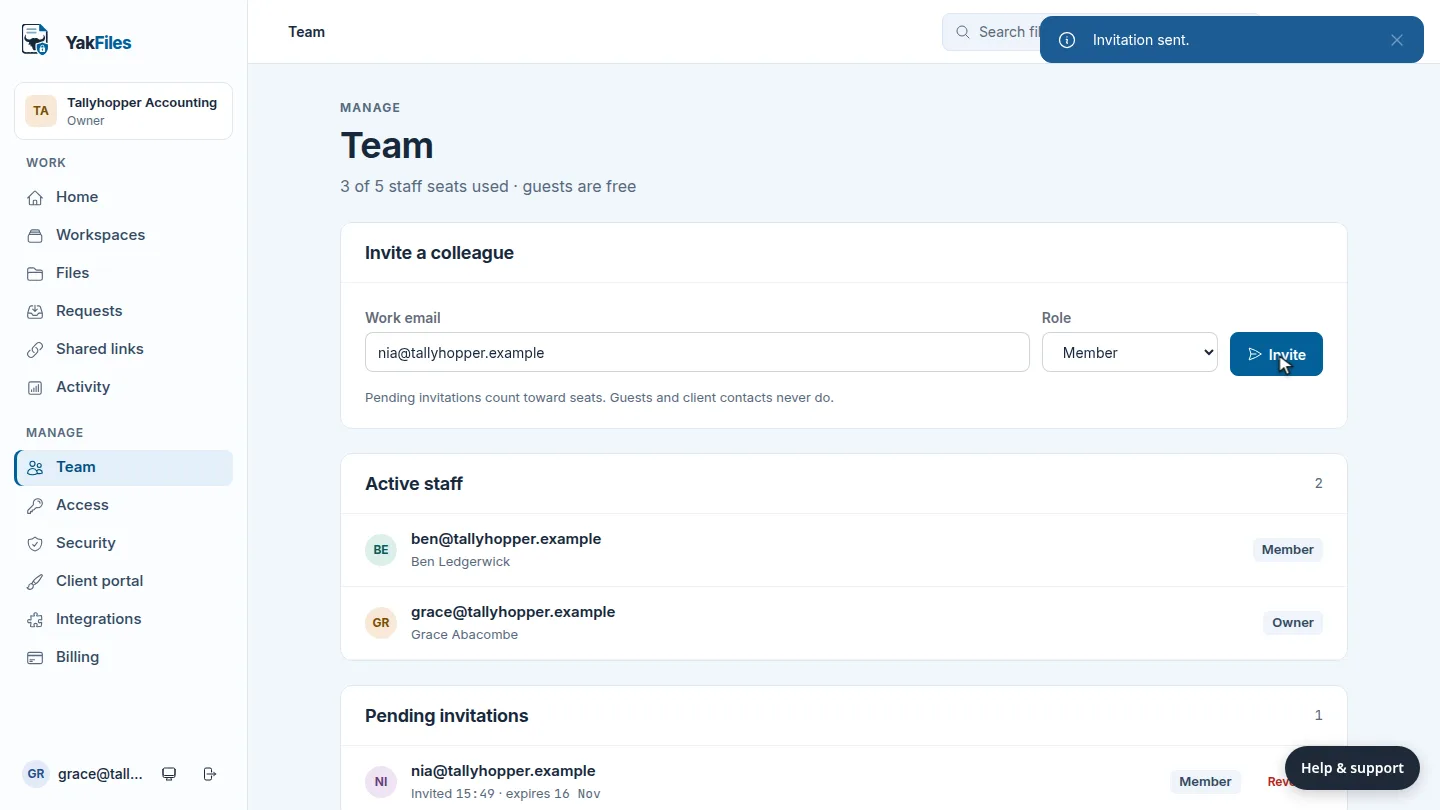
Staff seats, not guest fees

Invite colleagues with a role. Clients and guests never count towards your plan.

Invite a colleague

An API for your own tools

Create an API app with only the permissions it needs. The secret is shown once.

Billing you can explain

The amount and the date are impossible to misunderstand.

One monthly price per plan. Tax shown at checkout. Cancel from the billing page with no ticket and no retention call. You keep read and export access for 30 days after you stop paying.

Next charge Active
£49.00 Team plan · monthly
Team plan · monthly
£49.00
VAT
Shown at checkout
Cancel subscription
No ticket needed
Built for the job

Construction‑grade control, small‑firm simplicity.

Controlled drawing sets

Issue a revision, and every sheet in it is pinned to an exact version. Superseding a set never rewrites the one you issued.

Immutable transmittals

A transmittal is a record, not a folder. Recipients, sheets, versions and downloads are fixed the moment you issue it.

True two‑way desktop sync

Stable device IDs, conflict copies with names, and 30‑day recoverable deletes. Works with the folder structure your site team already has.

Your first afternoon

Four steps from sign‑up to your first returned checklist.

  1. Create a workspace for one client. Pick a template such as Accounting client and add your reference. Watch the how-to
  2. Send them a checklist. Choose a saved checklist, add their email and keep the default reminders. Watch the how-to
  3. They upload from their phone or laptop. A one‑time code by email, then one upload per line. Nothing to install. See their screen
  4. Accept what's right, send back what isn't. Every file is scanned before you open it, and your decision goes on the record. Watch the how-to
Plain about security

We do not claim HIPAA, CMMC, FedRAMP or any certification we have not earned. What we do: quarantine and scan every upload, encrypt at rest and in transit, keep an append‑only hash‑chained audit log, and store your files on vendor‑neutral S3‑compatible storage you can leave with.

Email us for the security overview
See it before you sign up

Short how-to videos, with the steps written out

Every task has its own page: why you'd do it, a video under a minute, then numbered steps with a screenshot for each.

Browse all YakFiles how-tos

Try it with one client this week.

Import a ShareFile folder or start clean. Send one request, watch it come back. Fourteen days, then the plan you picked, cancel in one click.