
How to revoke a shared link in YakFiles
Sent a link to the wrong person, or no longer want a document out there? Revoking a link stops it working straight away, and the record of who it was shared with stays.
Before you start
- An active shared link
Transcript
Stop a shared link from working, without losing the record.
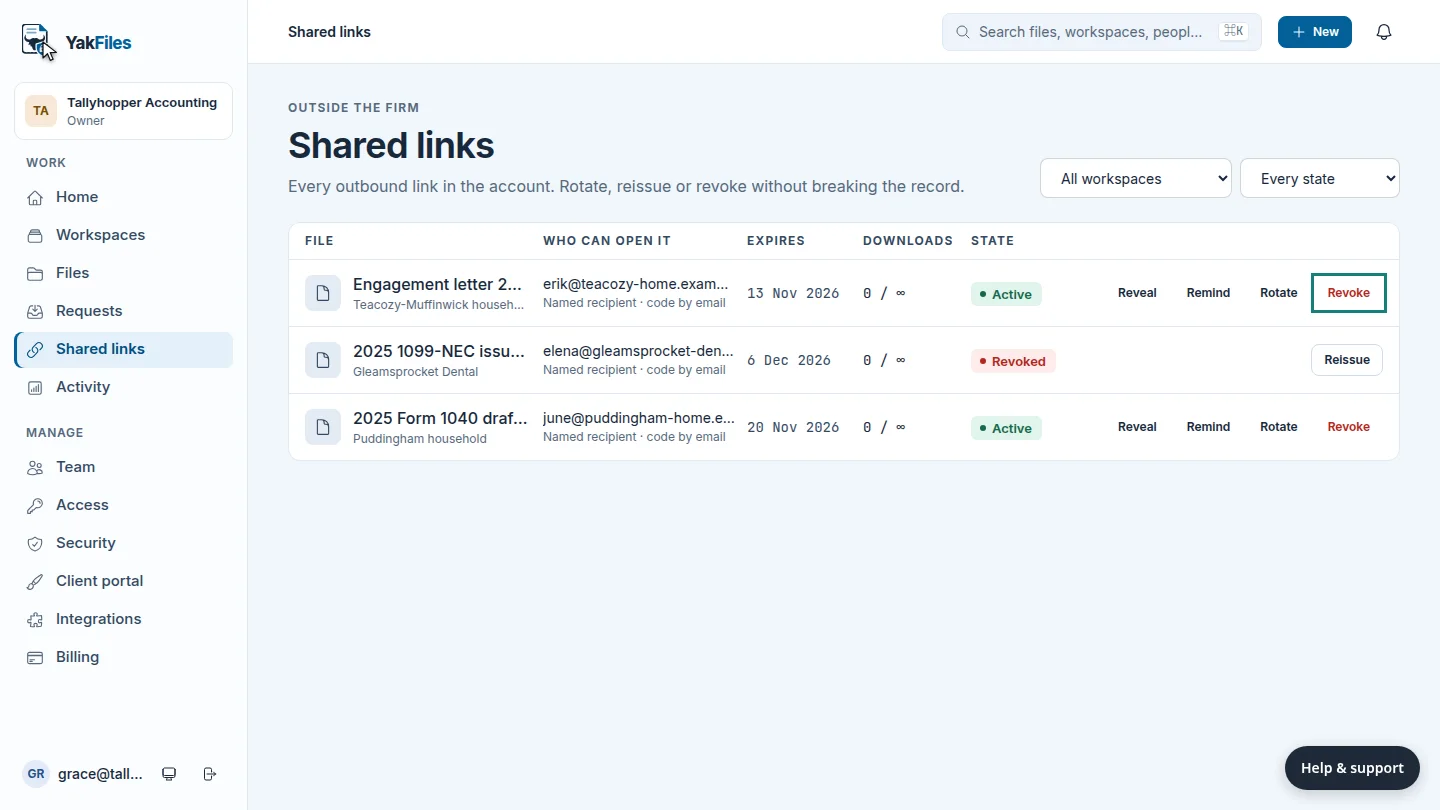
Shared links lists every link your firm has sent. Find the one to stop, and select Revoke.
The link now shows Revoked, and it stops working straight away. If you need to send the document again, select Reissue.
Steps
Revoke the link ▶ 0:05
In Shared links, find the link and select Revoke. Confirm if asked.
Check the state ▶ 0:12
The link's State shows Revoked.
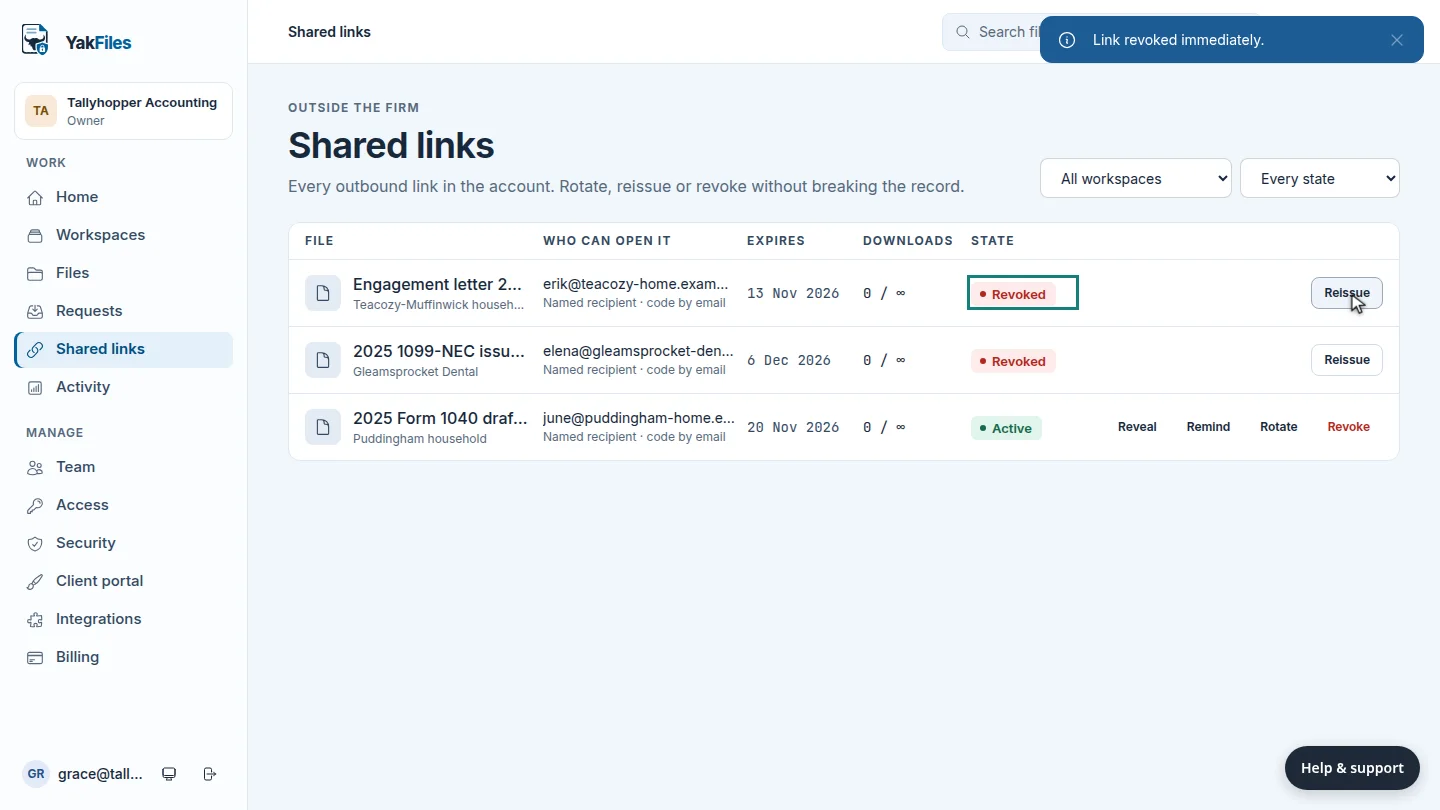
ResultThe link's state changes to Revoked, and Reissue replaces the other actions.
Updated 2026-10-26
disable link stop sharing revoke access expire link