
How to create a client workspace in YakFiles
Each client needs one place for their files, document requests and the people working on them. A workspace keeps all of that together, and the Accounting client template sets up the folders a tax or bookkeeping file needs.
Before you start
- A YakFiles account (any plan)
Transcript
Give every client one place for their files and requests. Here's how to create a client workspace in YakFiles.
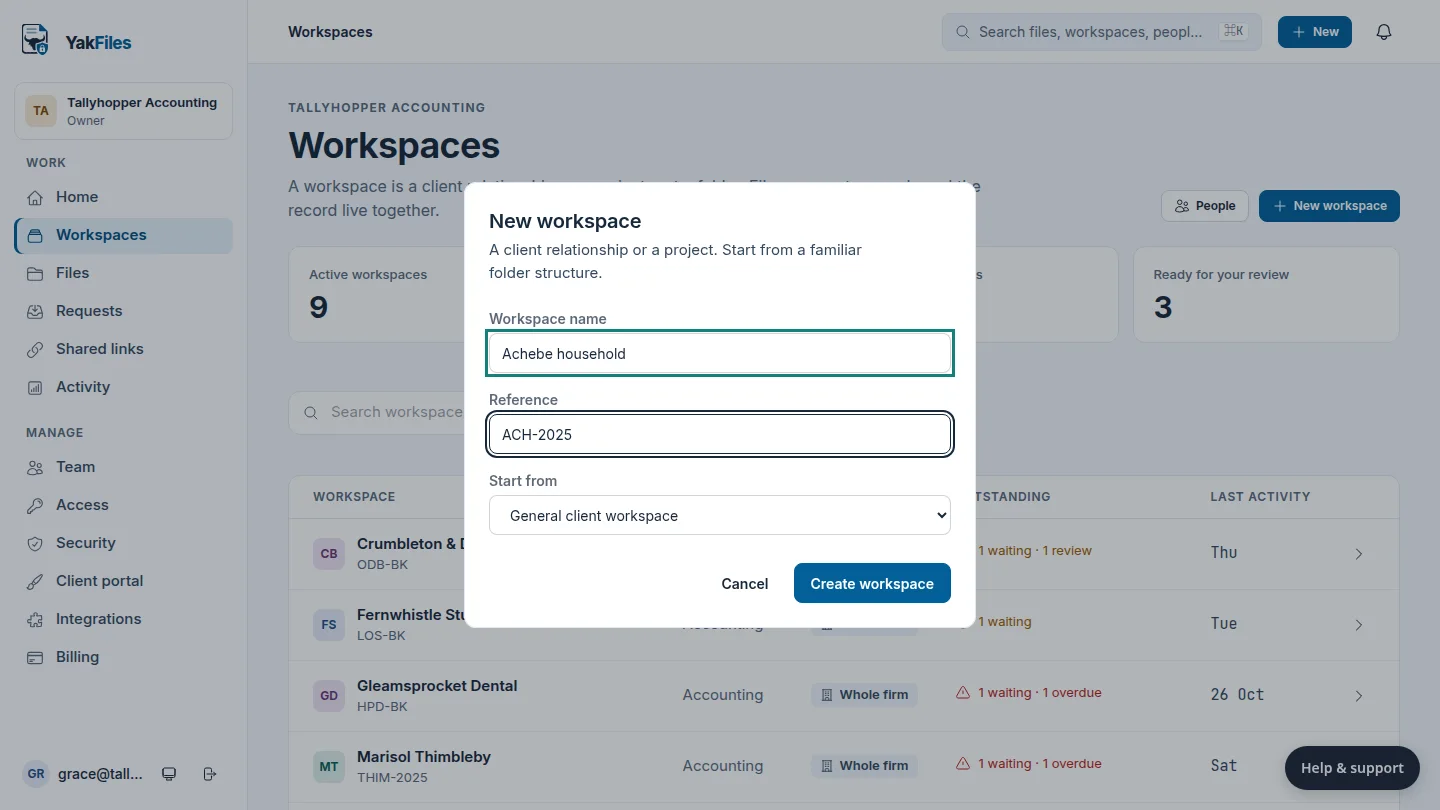
On the Workspaces page, select New workspace, and enter the client's name and your reference for them.
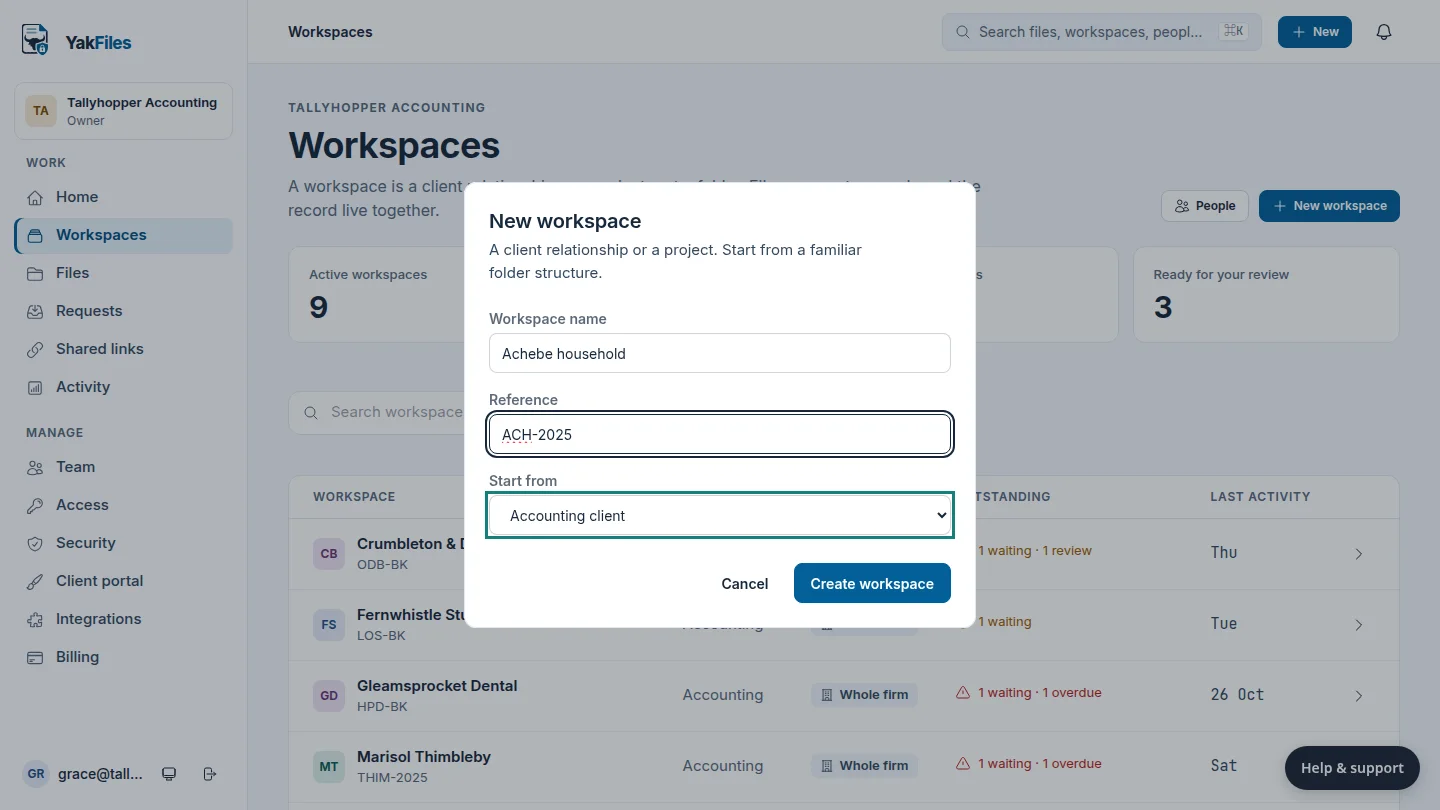
Under Start from, choose Accounting client. It adds folders for source documents, working papers, documents for approval and filed returns.
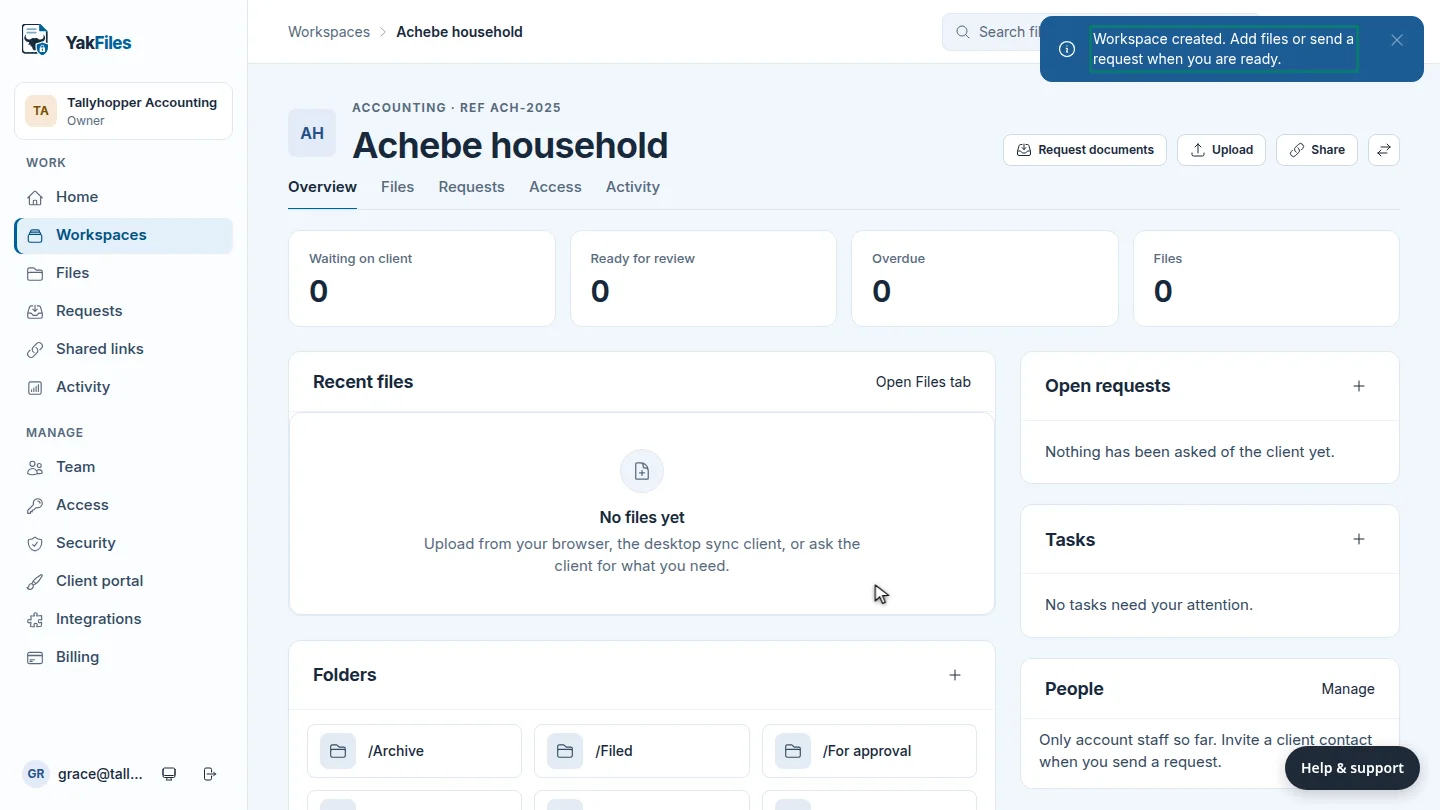
Select Create workspace. The new workspace opens, ready for files and document requests.
Steps
Name the workspace ▶ 0:09
In Workspaces, select New workspace. Enter the Workspace name and, optionally, a Reference.
Choose a template ▶ 0:16
For Start from, choose Accounting client.
Create it ▶ 0:26
Select Create workspace. The workspace opens on its Overview.
Next steps
Updated 2026-10-26
new client client folder client file project workspace accounting template